

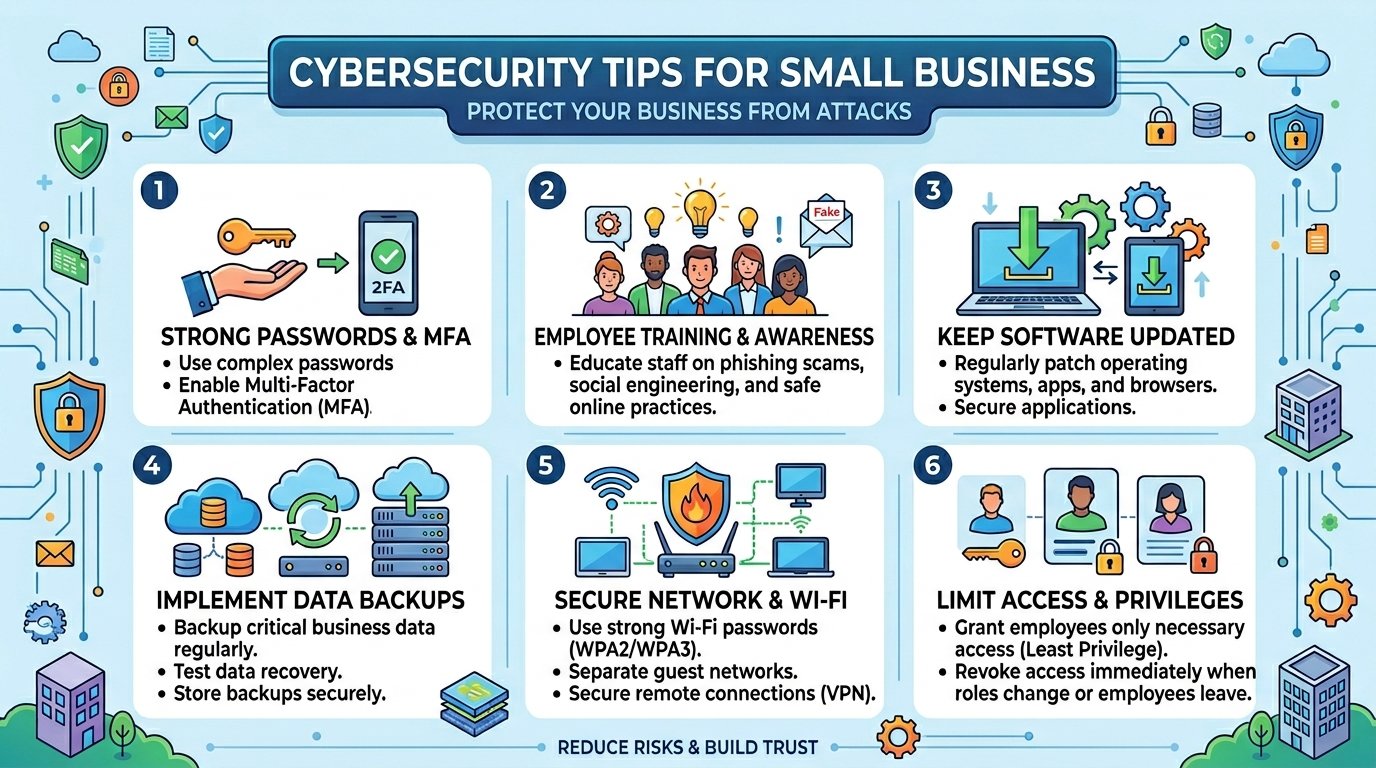
A single phishing email cost an Australian accounting firm over $46,000 last year. The business had antivirus software installed, a firewall in place, and a team that thought they knew what to look out for. None of it mattered because nobody had enabled multi-factor authentication on their email accounts. Stories like this are everywhere now, and they are exactly why practical cybersecurity tips have become survival knowledge for small business owners — not just something the IT department worries about.
Small and mid-sized businesses accounted for more than 70% of all data breaches in 2025, and the numbers in 2026 are tracking even higher. Australia’s Cyber Security Centre receives a cybercrime report roughly every ten minutes. If you run a small business and assume you are too small to be a target, that assumption is precisely what attackers are counting on.
This guide walks through 15 essential cybersecurity steps that do not require an enterprise budget or a dedicated security team. They require consistency, a bit of discipline, and the willingness to treat security as an ongoing part of running your business.
What Is Small Business Cybersecurity?
Small business cybersecurity refers to the combination of tools, practices, and habits that protect a company’s digital assets — customer data, financial records, email accounts, websites, and internal systems — from unauthorised access, theft, or damage.
It is not just about installing software. It is about building a culture where everyone in the business understands their role in keeping things secure. Even a basic grasp of computer programming in cyber security helps business owners understand how attacks actually work under the hood. The threats have evolved well beyond simple viruses. Today’s attackers use AI-generated phishing emails that are nearly indistinguishable from legitimate messages, ransomware that steals data before encrypting it, and automated tools that scan thousands of small businesses for vulnerabilities in minutes.
Understanding the broader malware protection landscape is a smart first step before diving into specific tactics.
Why Cybersecurity Tips Matter More Than Ever for Small Businesses
The threat landscape in 2026 is fundamentally different from what it was even two years ago. Three trends are driving that shift.
First, AI has supercharged attacks. LLM-generated phishing campaigns are now 4.5 times more effective than traditional ones. Deepfake audio of executives authorising wire transfers is no longer science fiction — it is happening to real businesses right now. Understanding how to build artificial intelligence systems gives you perspective on why these AI-powered threats are so convincing and difficult to detect. The intersection of artificial intelligence and connected technology is creating both new opportunities and new attack surfaces.
Second, cybercrime has become a service industry. Ransomware-as-a-Service platforms let people with zero technical skills launch sophisticated attacks. The barrier to entry for cybercriminals has never been lower.
Third, the financial impact is devastating. The average cost of a cyber attack on a small business now sits around $254,000, with some incidents running as high as $7 million. In Australia specifically, business email compromise alone cost businesses nearly $80 million in a single reporting period. Forty percent of small businesses say an attack costing just $100,000 would put them out of business entirely. Having a proper financial risk management strategy in place is no longer optional — it is the difference between surviving an incident and closing your doors.
15 Essential Cybersecurity Tips for Small Business Owners
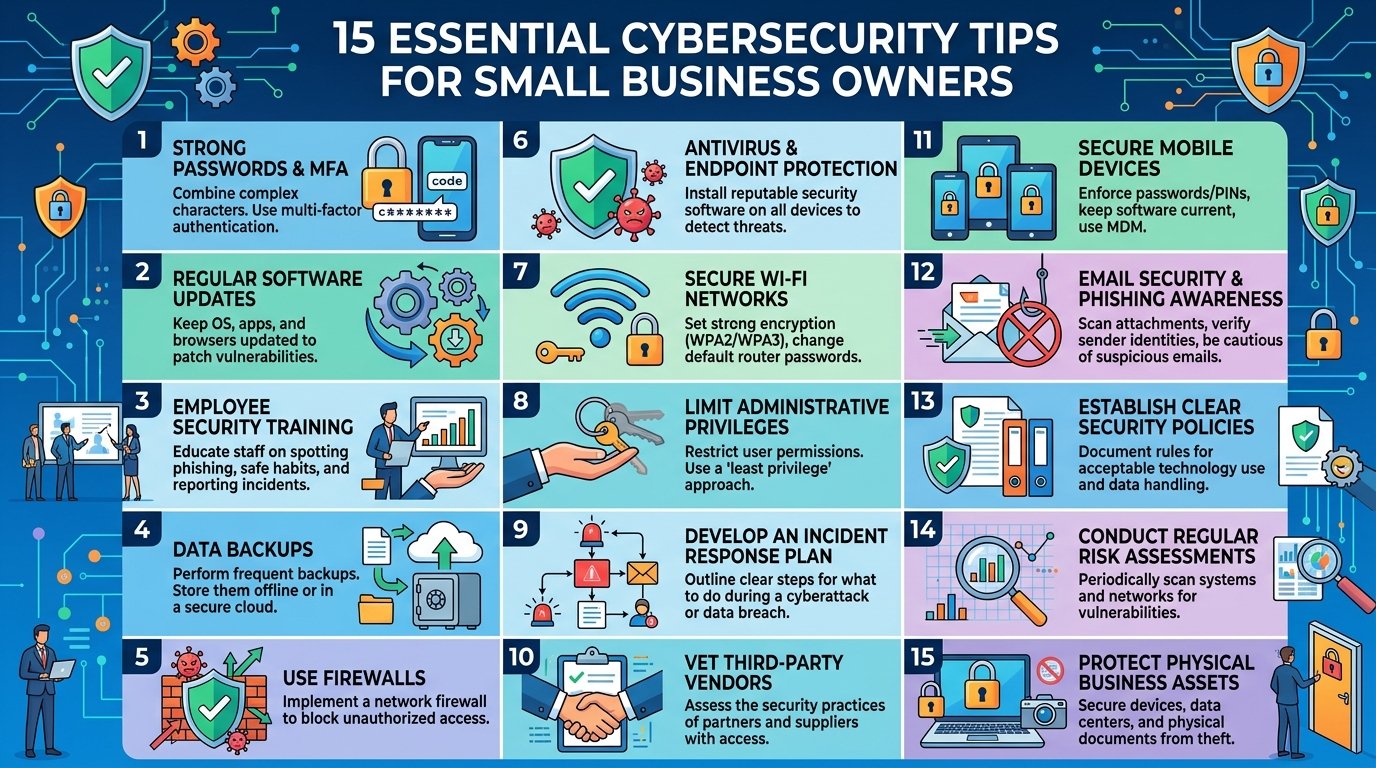
1. Enable Multi-Factor Authentication on Everything
MFA is the single most impactful step you can take. Microsoft reports that it blocks more than 99% of account compromise attacks. Start with email, banking, cloud storage, and any system that holds customer data. Use authenticator apps rather than SMS codes where possible — SIM-swapping attacks can intercept text messages.
2. Train Your Team to Recognise Phishing
Phishing remains the number one attack vector for small businesses. Run short, regular training sessions rather than a single annual presentation that everyone forgets. Show real examples of phishing emails. Make it safe for employees to report suspicious messages without feeling embarrassed. The employability skills that Australian employers now value include basic cyber awareness — it is becoming a workplace essential.
3. Keep All Software Updated and Patched
Unpatched software is an open invitation. Enable automatic updates on operating systems, browsers, and business applications. If your business runs on WordPress, following WordPress security best practices and a monthly WordPress maintenance checklist is essential — WordPress sites are among the most frequently targeted by automated scanners. For specialised software and technology resources that do not auto-update, set a calendar reminder to check monthly.
4. Use Strong, Unique Passwords With a Password Manager
Reused passwords are one of the easiest ways attackers move from one compromised account to others. A password manager generates and stores complex passwords so nobody needs to remember them. Enforce minimum password lengths of at least 14 characters across all business accounts.
5. Back Up Data Using the 3-2-1 Rule
Keep three copies of critical data, stored on two different types of media, with one copy stored offsite or in the cloud. A solid data architecture strategy makes this easier by ensuring your data is organised, classified, and backed up systematically from the start. Test your backups regularly — a backup you have never restored is a backup you cannot trust. Double-extortion ransomware makes this even more critical, since attackers now steal data before encrypting it.
6. Secure Your Email Systems
Email is ground zero for most attacks. Beyond MFA, configure SPF, DKIM, and DMARC records for your business domain to prevent spoofing. Understanding messaging security at a deeper level helps you appreciate why these technical configurations matter and how they protect your brand from being impersonated.
7. Implement Endpoint Protection Beyond Basic Antivirus
Traditional antivirus is not enough. Modern endpoint detection and response tools monitor for suspicious behaviour patterns, not just known virus signatures. If you are still running older systems, understanding the difference between end-of-life and legacy cyber security helps you assess whether your current setup is a liability. If you are using cloud services like AWS for your business infrastructure, make sure endpoint protection extends to those environments as well.
8. Control Access With the Principle of Least Privilege
Every employee should only have access to the systems and data they need for their specific role. When someone changes roles or leaves the company, update their access immediately. This limits the damage if any single account is compromised.
9. Secure Your Wi-Fi Network
Use WPA3 encryption, change default router passwords, and create a separate guest network for visitors. If your team works remotely, provide guidance on securing home networks and require VPN usage for accessing business systems.
10. Develop an Incident Response Plan
Do not wait until you are in the middle of a crisis to figure out what to do. Document who to call, how to isolate affected systems, when to notify customers, and how to report the incident to the Australian Cyber Security Centre. A written plan that everyone knows about dramatically reduces response time and total damage.
11. Vet Your Vendors and Supply Chain
Your security is only as strong as your weakest vendor. Ask suppliers about their security practices. Include security requirements in contracts. Supply chain attacks, where criminals compromise a trusted third-party to reach your systems, are rising sharply. If your own systems rely on outdated technology, software product modernization can close vulnerabilities that legacy architectures leave exposed.
12. Encrypt Sensitive Data in Transit and at Rest
Encryption ensures that even if data is stolen, it cannot be read without the decryption key. Use HTTPS across your website, encrypt stored customer data, and require encrypted connections for remote access. If your business runs a CRM system with customer records, encryption is non-negotiable.
13. Monitor Your Systems for Unusual Activity
Set up alerts for failed login attempts, logins from unusual locations, large data transfers, and after-hours access. Many cloud platforms include basic monitoring tools at no extra cost. If your website is WordPress-based, errors like a critical error on your website or a database connection failure can sometimes indicate tampering rather than simple technical glitches — monitoring helps you tell the difference. Catching an intrusion early is the difference between a minor incident and a catastrophic breach.
14. Consider Cyber Insurance
Sixty-four percent of small businesses are not familiar with cyber insurance. A good policy can cover incident response costs, legal fees, customer notification, and business interruption. It is not a substitute for good security practices, but it provides a financial safety net when things go wrong.
15. Stay Informed and Adapt
Cybersecurity is not a set-and-forget exercise. Subscribe to the ACSC’s alert service. Follow industry developments. If you run a WordPress site, choosing popular WordPress plugins with strong security reputations — and keeping them updated — is a critical part of staying protected. The best AI tools are increasingly being used for defensive security purposes — from automated threat detection to vulnerability scanning — so staying current on technology trends pays security dividends too.
Real-World Scenarios That Bring These Tips to Life
Consider a Melbourne-based e-commerce business that processes hundreds of orders daily through their customer care and service portal. Whether you have optimized your e-commerce platform for peak seasons or not, a single click on a malicious link can bring everything to a halt. A staff member clicks a link in what looks like a supplier invoice email. Within hours, ransomware encrypts their entire order management system. Because they had tested backups and an incident response plan, they restored operations within 24 hours instead of the average 23 days it takes businesses without a plan.
Or think about a digital marketing agency whose SEO specialist — someone familiar with tools like Screaming Frog and SEMrush — receives a convincing email asking them to log in to a client’s analytics dashboard. The link leads to a credential-harvesting page. Because the agency enforced MFA on all third-party tool logins, the stolen password alone was not enough for the attacker to gain access.
These are not dramatic, headline-grabbing scenarios. They are Tuesday.
Frequently Asked Questions
What is the most common cyber threat for small businesses?
Phishing is the most common attack vector. It accounts for roughly 36% of all confirmed breaches and is the starting point for most ransomware infections and business email compromise schemes. Training employees to recognise phishing attempts is one of the most cost-effective defences available.
How much does a cyber attack cost a small business?
The average total cost sits around $254,000, including recovery, legal fees, downtime, and reputational damage. In Australia, the ACSC reports average costs exceeding $46,000 per incident for small businesses. Forty percent of small businesses say an attack costing $100,000 or less would shut them down.
Do small businesses really need cyber insurance?
Yes. Cyber insurance covers costs that most small businesses cannot absorb on their own — incident response, legal counsel, customer notification, and business interruption. It is not a replacement for strong security practices, but it provides essential financial protection when an incident slips through your defences.
What is the first cybersecurity step a small business should take?
Enable multi-factor authentication on all critical accounts. It is free or very low cost, takes minutes to set up, and blocks the vast majority of credential-based attacks. After MFA, focus on employee phishing awareness and maintaining reliable backups.
How often should employees receive cybersecurity training?
Quarterly training sessions are the minimum. Short, focused sessions work better than long annual presentations. Include simulated phishing exercises so employees practise recognising threats in a safe environment. Reinforce key messages through brief monthly reminders.
Protecting Your Business Starts With the Basics
The 15 cybersecurity tips covered here are not cutting-edge, expensive, or complicated. They are fundamentals — and fundamentals work. The businesses that suffer the least from cyber attacks are not necessarily the ones with the biggest security budgets. They are the ones that do the basics consistently, train their people regularly, and treat security as an ongoing discipline rather than an annual checkbox.
If you are building a career in this space, the demand for professionals with these skills is enormous — cyber security jobs are among the fastest-growing roles in Australia and globally. Curious about the technical foundations? Understanding how math is used in cybersecurity — from encryption algorithms to anomaly detection — reveals why this field rewards analytical thinking.
And if you are a business owner, even a basic understanding of what generative AI means for cybersecurity — both the threats it enables and the defences it powers — gives you a meaningful edge. For those wanting to deepen their knowledge further, a structured AI course for beginners can help you understand the technology behind the threats you are defending against, and learning how to build an AI app takes that understanding into practical territory.
The attackers are not waiting. Your cybersecurity tips checklist should not be waiting either. Pick one step from this list and implement it today. Then do the next one tomorrow. That steady, consistent approach is worth more than any single expensive tool.